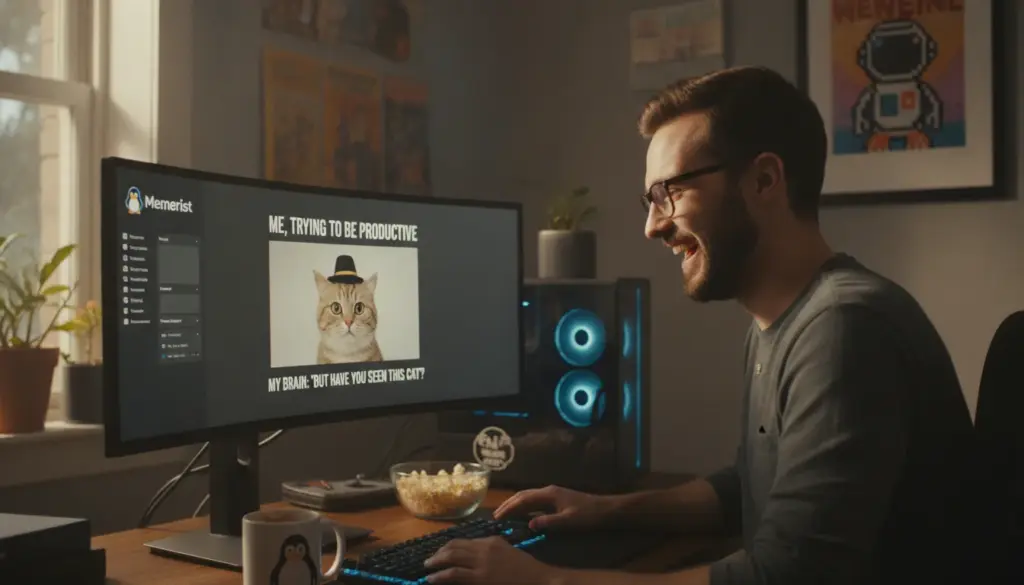
Visual jokes move fast on the internet, usually requiring nothing more than a relatable image and a snappy caption. While Linux users have traditionally relied on heavy image editing suites to get the job done, those professional tools demand time and patience. Fortunately, a fresh, lightweight alternative now exists that delivers exactly what you need: lightning-fast meme creation without the unnecessary hassle.
Memerist: A Straightforward Meme Maker for Linux Users
Memerist operates as a free Linux application designed to transform your personal photos or popular templates into custom jokes within minutes. You won’t find any confusing layer panels or massive menu trees like those seen in advanced software such as GIMP. Instead, the application dedicates itself entirely to a single mission: slapping text onto a picture seamlessly.
The interface feels wonderfully playful rather than strictly professional, which is exactly why it shines. By minimizing the number of available buttons, the software guarantees immediate results. It serves as the perfect utility when you need a quick visual comeback for a group chat, want to spice up a slide deck, or simply feel like messing around with pictures of your friends.
Key Features Built Into Memerist
The developers intentionally restricted the toolset so users never feel overwhelmed by choices. Despite this minimalist approach, the application packs a surprisingly capable punch:
- A compact built-in library featuring widely recognized meme templates.
- The ability to effortlessly import your own custom photography.
- Simple text integration featuring basic styling and rotational controls.
- Full support for stacking multiple image and text layers.
- Seamless exporting to both standard .jpg and .png formats.
- Contrast adjustments and a “degrade” filter to achieve that authentic, gritty internet aesthetic.
- Zoom controls for meticulous element placement.
- A real-time preview panel to monitor your typographic edits instantly.
Because the feature list remains purposefully tight, there is absolutely no learning curve. You simply launch the program and start creating immediately.
Installing Memerist Quickly on Your Linux System
Distributed as a Flatpak package via Flathub, Memerist runs flawlessly across almost all modern Linux distributions. Whether you operate on Ubuntu, Fedora, Linux Mint, or Pop!_OS, you are good to go as long as your system has Flatpak enabled.
Grabbing the App via GUI or Terminal
On most mainstream distributions, you can download the application directly through your graphical software center. If your software store lacks Flatpak integration, utilizing the command line is generally the fastest route. Just enter flatpak install flathub io.github.vani_tty1.memerist into your terminal.
Once the installation wraps up, the application icon will populate in your desktop environment’s menu. Should it fail to appear right away, a quick system log-out and log-in will refresh the directory and reveal the launcher.
Crafting Your First Visual Joke
Upon booting up the software, the interface’s sheer simplicity becomes immediately apparent. There are no intimidating toolbars dominating your screen—only the essential controls required for the task at hand.
The dynamic live preview is incredibly helpful for checking text legibility, especially when dealing with high-contrast background imagery. Every minor tweak you make to scale or positioning reflects instantly on your canvas.
Choosing Between PNG and JPG Export Formats
By default, the software outputs your final creation as a .png file, ensuring top-tier visual fidelity and transparency support. However, standard internet jokes rarely require transparent backgrounds, making the highly compressed .jpg format a more practical choice.
If you plan to upload your image to a platform with strict file size limitations, JPEG is definitely the way to go. To switch formats, simply change the file extension from .png to .jpg during the saving process. The application recognizes this manual adjustment and automatically compresses the graphic accordingly.
Where the Application Intentionally Stays Simple
When stacked against heavyweight image editors, this streamlined tool does omit advanced typography features like perspective correction. While you can rotate your lettering, you cannot warp it to match a slanted floor or an angled brick wall seamlessly.
For this specific medium, however, that limitation hardly matters. The enduring charm of viral internet humor often relies on a slightly raw, unpolished appearance. As long as your punchline is legible and the comedic timing works, a mathematically perfect graphic composition is completely unnecessary.
Why Choose Memerist Over GIMP or Web Generators?
Many users default to massive desktop editing suites or cloud-based generation tools when they need to modify an image. For simple internet humor, those solutions are usually dramatic overkill. This dedicated desktop tool perfectly bridges that operational gap:
- Maximum speed: Fewer clicks and zero complex drop-down menus.
- Total privacy: Everything renders locally on your machine, meaning no cloud uploads.
- Zero algorithmic hurdles: No arbitrary content warnings or restrictive automated content guidelines.
- Laser focus: Tailored exclusively for quick humor rather than pixel-perfect photo retouching.
For casual creators who do not spend their days inside design software, this straightforward workflow eliminates endless frustration. You will never lose a crucial formatting tool inside a hidden sub-panel.
Practical Tips for Building Better Memes
Having brilliant software only solves half the equation; your joke still needs to land perfectly. Following a few foundational design principles can drastically elevate your final product:
- Keep your phrasing punchy and direct; lengthy paragraphs rarely translate well to visual comedy.
- Utilize high-contrast colors to ensure your typography pops against busy backgrounds.
- Anchor your words to the top or bottom edges of the frame for optimal scanning.
- Always test readability on smaller screens, adjusting font weight if necessary.
- Save baseline templates so you only have to swap out the caption next time.
Professionals who frequently utilize humor in corporate presentations or Slack channels can even curate a localized mini-library featuring inside jokes, office snapshots, or product photos.
A Refreshing Alternative to Automated Content
In an era where algorithmic text and synthetic imagery flood our feeds, traditional internet jokes maintain a distinctly human flavor. Crafting one requires genuine thought regarding cultural timing, visual selection, and comedic delivery. It is precisely this manual touch that makes the process so enjoyable, and dedicated software keeps the barrier to entry remarkably low.
For Linux enthusiasts looking to fire off a quick visual retort, gently roast a coworker, or inject some levity into their social media presence, this app provides the ultimate utility. It remains entirely free, resource-friendly, and perfectly calibrated to produce graphics that are snappy, recognizable, and just a little bit edgy.