
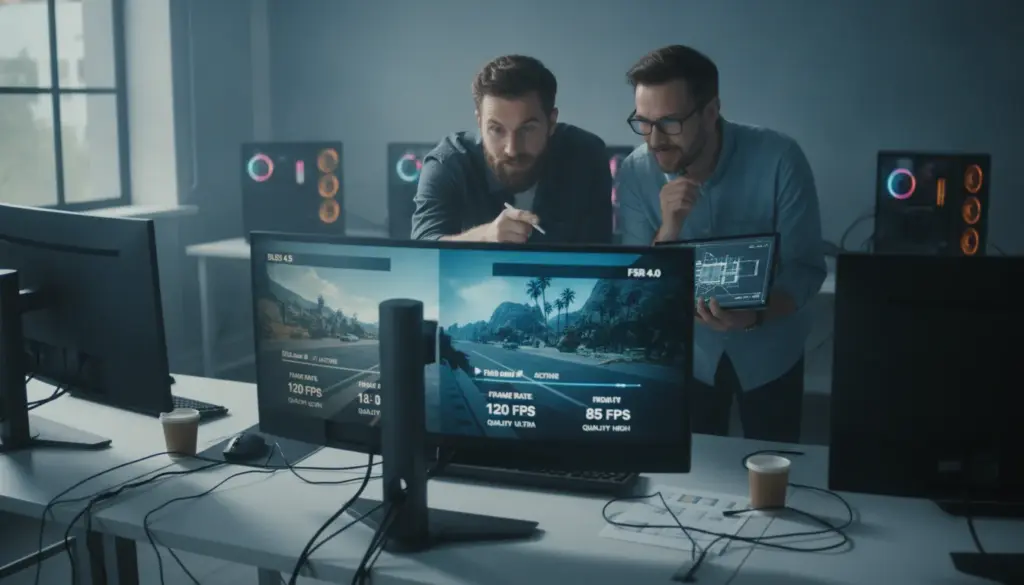
DLSS 4.5 brings major architectural shifts
Nvidia and AMD are unleashing their latest artificial intelligence advancements with massive expectations attached. A growing number of PC enthusiasts demand stunning 1440p or 4K visuals, yet they refuse to compromise on smooth framerates. Smart upscaling has emerged as the ultimate remedy for this performance dilemma, setting the stage for a massive showdown between Nvidia’s DLSS 4.5 and AMD’s FSR 4. Hardware reviewers recently pitted these two heavyweights against each other, yielding incredibly decisive results.
Nvidia makes it incredibly obvious that DLSS 4.5 is far more than a simple software tweak. The underlying architecture has experienced a complete overhaul. While previous iterations relied heavily on traditional convolutional neural networks, this fresh update utilizes a second-generation Transformer model. This advanced framework evaluates image data entirely differently, capturing vastly more context for every single frame and pixel.
According to the manufacturer, this sophisticated method requires up to five times the computational muscle compared to its predecessor. While that sounds alarming for performance, RTX 4000 and 5000 series graphics cards handle these calculations using FP8 precision rather than FP16. This clever shift dramatically reduces the strain on Tensor cores, ensuring your framerate remains incredibly high at premium resolutions.
Instead of simply boosting raw speed, this technology prioritizes visual elegance. Gamers can expect significantly less visual noise, sharper outlines, and remarkably stable details during intense movement. The ultimate ambition is to make heavily upscaled visuals indistinguishable from native rendering, even when utilizing aggressive Performance presets. Intricate elements like distant text, power lines, and dense grass benefit massively from the Transformer model’s deep contextual analysis.
AMD embraces hardware-driven AI with FSR 4
For several generations, AMD took a radically different approach with FidelityFX Super Resolution. The first two versions functioned entirely without dedicated artificial intelligence cores, maintaining widespread compatibility across older hardware and even basic integrated graphics. While this open approach earned immense praise from the community, the actual visual fidelity consistently lagged behind Nvidia’s upscaler and Intel’s XeSS.
With the launch of FSR 4, now officially branded as FSR Upscaling, the company is pivoting hard from its previous philosophy. The tech giant now leverages dedicated AI accelerators built into their latest RX 9000 graphics cards. Just like its primary rival, this trained neural network actively reconstructs missing graphical data rather than merely applying a sharpening filter over a lower-resolution image.
This massive leap in image quality comes with a distinct trade-off in accessibility. FSR 4 functions exclusively on cutting-edge RX 9000 series hardware, stripping away the universal compatibility that made older versions so beloved. Hardware analysts note that this update finally pushes AMD’s visual quality somewhere between DLSS 3 and DLSS 4. They successfully closed the historical gap, only to watch Nvidia immediately surge forward again with version 4.5.
The practical battlefield: Where visual fidelity truly matters
Theoretical benchmarks are fascinating, but the real differences emerge during actual gameplay. Reviewers tested both algorithms side-by-side on 1440p displays, forcing an aggressive 720p internal render resolution to push the technology to its absolute limits. Cyberpunk 2077 frequently serves as the ultimate torture test due to its dazzling array of complex light sources, intricate geometry, and demanding reflections.
Under these stressful conditions, both competitors manage to produce a genuinely impressive picture. The smudged textures and massive motion trails that plagued older upscaling attempts are practically history. Glowing neon signs remain perfectly legible, shiny surfaces look highly convincing, and fast-moving targets retain enough clarity for comfortable aiming.
Complex details and disocclusion highlight the winner
The real divergence in quality becomes painfully apparent during disocclusion events. This occurs when an object emerges from behind cover, forcing the algorithm to instantly guess what the newly revealed background should look like. Think about a character stepping out from behind a concrete pillar or leaves momentarily obscuring a weapon.
When panning the camera aggressively, DLSS 4.5 expertly preserves delicate background details behind fences and foliage. In stark contrast, FSR 4 struggles in these specific moments, frequently producing noticeable blurring or distracting visual artifacts.
Dense vegetation remains the ultimate nightmare for any upscaling software. Swaying tree canopies and lush fields are packed with translucent shapes and razor-thin lines. Analysts consistently report that AMD’s latest solution still exhibits minor shimmering and graphical noise in grassy areas, particularly when sprinting or whipping the mouse around. Nvidia’s counterpart completely stabilizes these tricky elements, resulting in a much cleaner overall presentation.
Texture stability and neon lighting performance
Keen-eyed players will also spot distinct differences when analyzing intricate textures like rough asphalt or glowing city lights. While both solutions occasionally display faint shimmering at extreme viewing angles, their handling of fine details diverges. Nvidia maintains solid, continuous thin lines across sequential frames, whereas AMD’s output tends to degrade into a soft, grainy appearance.
Casual observers might dismiss these nuances as trivial. However, for dedicated enthusiasts pouring hundreds of hours into sprawling RPGs on premium high-refresh-rate monitors, this clarity matters immensely. A stable, artifact-free image dramatically reduces eye strain and allows for deeper immersion in the virtual world.
Choosing the right technology for your rig
Ultimately, your upgrade path is entirely dictated by what currently sits inside your PC case. Not everyone can magically swap to the superior software. The current hardware ecosystem breaks down like this:
- RTX 4000 or 5000 series owners: DLSS 4.5 is your default choice, offering the absolute pinnacle of current upscaling tech.
- Older RTX graphics cards: You are locked into DLSS 3 or 4, which still provides phenomenal performance and clarity.
- Radeon RX 9000 users: FSR 4 finally delivers premium, machine-learning-powered visual reconstruction to your system.
- Legacy AMD or Intel users: You must rely on older FSR iterations or traditional spatial upscalers.
This fragmented landscape creates substantial headaches for game developers. Studios must now dedicate resources to supporting multiple intricate algorithms while striving for visual parity across entirely different hardware families. Because Nvidia holds a dominant grip on the high-end PC market, their software integration typically receives primary development focus.
What does this mean for the future of gaming?
With both industry titans going all-in on machine learning inference, the fundamental process of rendering virtual worlds is shifting. As these reconstruction algorithms become increasingly flawless, game creators face less pressure to optimize for native 4K rendering. By lowering internal target resolutions, developers suddenly unlock massive amounts of computational headroom for advanced physics simulations and breathtaking ray tracing.
This paradigm shift brings massive potential alongside genuine risks. As modern titles become heavily reliant on software reconstruction, the specific brand of your graphics card becomes crucial. A sprawling open-world game heavily optimized for Nvidia’s latest tech might look surprisingly rough on unsupported components. Consequently, the performance gap between a game’s minimum and recommended system requirements will likely widen significantly.
Practical optimization tips for unsure players
If you want to squeeze the absolute best visuals out of your current setup, a simple testing methodology works wonders. First, locate a heavily demanding in-game area featuring heavy rain, dense crowds, or complex lighting. Cycle through the Quality, Balanced, and Performance presets while actively watching for shimmering edges, rather than solely staring at your frame counter.
A highly effective strategy involves establishing a baseline framerate goal, such as a rock-solid 90 or 120 fps. From there, select the least aggressive upscaling preset that consistently maintains that target. The Quality and Balanced modes traditionally offer the sweetest spot for crispness and fluidity. The more aggressive Performance tiers are generally best reserved for extremely demanding ray tracing workloads or pushing massive 4K displays.
Finally, remember that competitive shooter fans typically prioritize absolute framerate stability over flawless pixel clarity, while narrative-driven players prefer maximum visual stability. Always keep your graphics drivers and game installations fully updated. Both tech giants constantly refine their neural networks on a per-game basis, meaning a simple software patch could instantly eliminate a frustrating visual bug. While the upscaling war rages on, Nvidia undeniably retains the technical high ground in this current generation.